12 ready replies for order status questions
By SemAgent Team Prepared with AI assistance
Published 6 min read
In this post
Customers asking "where is my order" want two things: the current stage and what happens next. They don't want an apology paragraph before the answer. Lead with the status, add the next concrete step or date, and only ask for the order number or email if you don't already have it from the conversation.
Answer the order question in one line first
A good order-status reply has a simple structure: stage, then next step. "Your order is out for delivery today" beats three lines of "we're so sorry for any inconvenience" followed by the actual answer at the end.
If the customer already gave you an order number, email, or it's visible in the conversation history, don't ask again. Re-asking for information you already have is the fastest way to make a simple question feel like extra work.
Keep these three things in every reply:
- The stage — processing, shipped, delayed, out for delivery, delivered, or cancelled.
- The next action or date — when it ships, when it arrives, what the customer needs to do if anything.
- A way to track further — tracking link, order page, or a note that you'll follow up.
Twelve templates for every order stage
Use these as a starting point. Replace the bracketed placeholders with the real order number, date and tracking link each time — a template only works if it still feels specific to that one order.
1. Processing
Hi [name], your order #[order number] is being prepared and hasn't shipped yet. Expected ship date: [date]. We'll send tracking as soon as it's on its way.
2. Shipped, with tracking
Good news — order #[order number] shipped on [date]. You can track it here: [tracking link]. Estimated delivery: [date].
3. Delayed in transit
Order #[order number] is running behind schedule. The carrier shows it's currently at [location/status] as of [date]. New estimated delivery: [date]. We'll keep watching it.
4. Out for delivery
Order #[order number] is out for delivery today. You can follow it live here: [tracking link].
5. Delivered but customer says not received
Order #[order number] shows as delivered on [date] at [time]. Can you check with neighbors or a building reception desk? If it's still missing in a few hours, let us know and we'll open a trace with the carrier.
6. Item arrived damaged
Sorry to hear that about order #[order number]. Could you send a photo of the item and the packaging? Once we have that, we'll set up a replacement or refund.
7. Wrong item sent
That's on us — order #[order number] should have included [correct item]. We'll send the right item and include a return label for the wrong one. No need to pay for return shipping.
8. Order cancelled by customer
Order #[order number] has been cancelled as requested. If payment was already taken, the refund will show up in [timeframe].
9. Order cancelled for stock reasons
Order #[order number] had to be cancelled because [item] is out of stock. You've been refunded in full; it should appear in [timeframe]. Want us to notify you when it's back?
10. Address change request
We can update the delivery address for order #[order number] as long as it hasn't shipped yet. Current status: [stage]. Please send the new address and we'll confirm once it's changed.
11. Partial shipment
Order #[order number] is shipping in two parts. [Item A] shipped on [date] — tracking: [tracking link]. [Item B] will ship separately once it's back in stock, expected [date].
12. Backorder / pre-order wait
Order #[order number] includes a pre-order item expected to ship around [date]. We'll send tracking as soon as it leaves the warehouse — no action needed from you.
These twelve cover the stages most "where is my order" messages fall into. Keep the wording short on purpose; a long explanation reads as stalling even when the news is good.
How an assistant fills these in from real order data
Typing the order number into each of these by hand, every time, across every channel, is the part that doesn't scale. Connecting your store lets an assistant do that lookup instead of a person doing it.
Once your Shopify store is connected, the assistant can match the customer's order number or email to the real order, pick the matching template from the list above, and fill in the actual stage, date and tracking link — not a guess. The same order gets the same accurate reply whether the customer asked on WhatsApp, Instagram, email or your site's chat widget, so the wording and the facts match everywhere.
This is also what keeps the templates honest. A human agent copying from a saved reply might forget to update the date; an assistant pulling from live order data fills in whatever the store says right now.
When to hand the conversation to a person instead
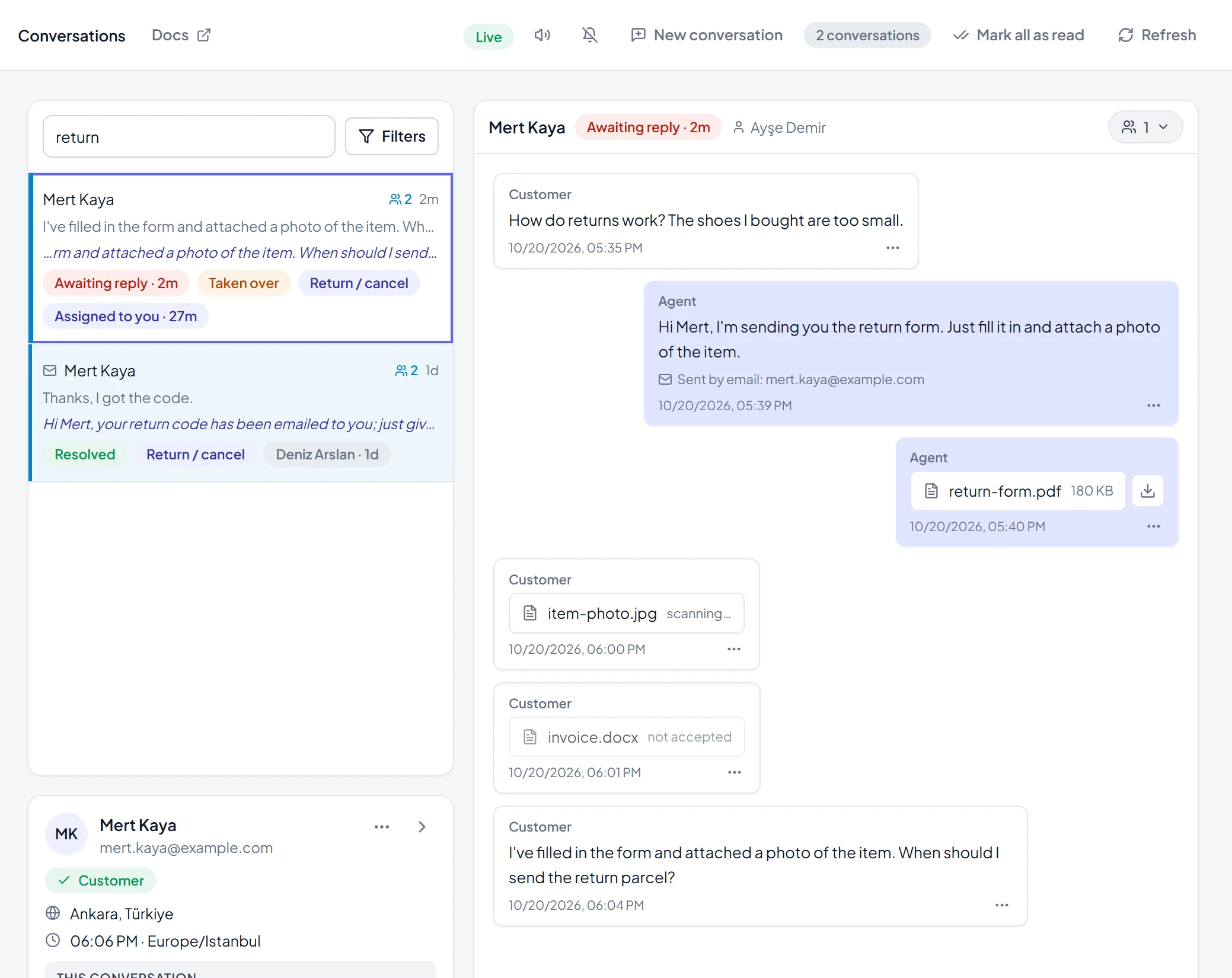
Not every order question fits a template. Lost packages, refund disputes, repeated damaged items, and messages with an angry or frustrated tone need a person who can make a judgment call, not a scripted reply.
Set handoff rules so these route to a teammate automatically, with the order number, stage and conversation history already attached — the person picking it up shouldn't have to ask the customer to repeat everything.
A reasonable split looks like this:
- Template-safe: processing, shipped, delayed, out for delivery, standard cancellations, address changes before shipping.
- Handoff: delivered-but-missing after a trace is needed, damaged items beyond the first photo request, wrong-item disputes, repeated complaints, refund negotiations.
Templates handle the routine share of "where is my order" messages so your team has time for the cases that actually need a human decision.
Set this up once in SemAgent
A few one-time steps make this run on its own after that:
- Connect the store so order status comes from live data instead of someone copying it from the order admin screen.
- Add the templates to your knowledge base or canned replies so the assistant and your team use the same wording — consistency matters more for order questions than almost any other type of message, since customers often compare notes.
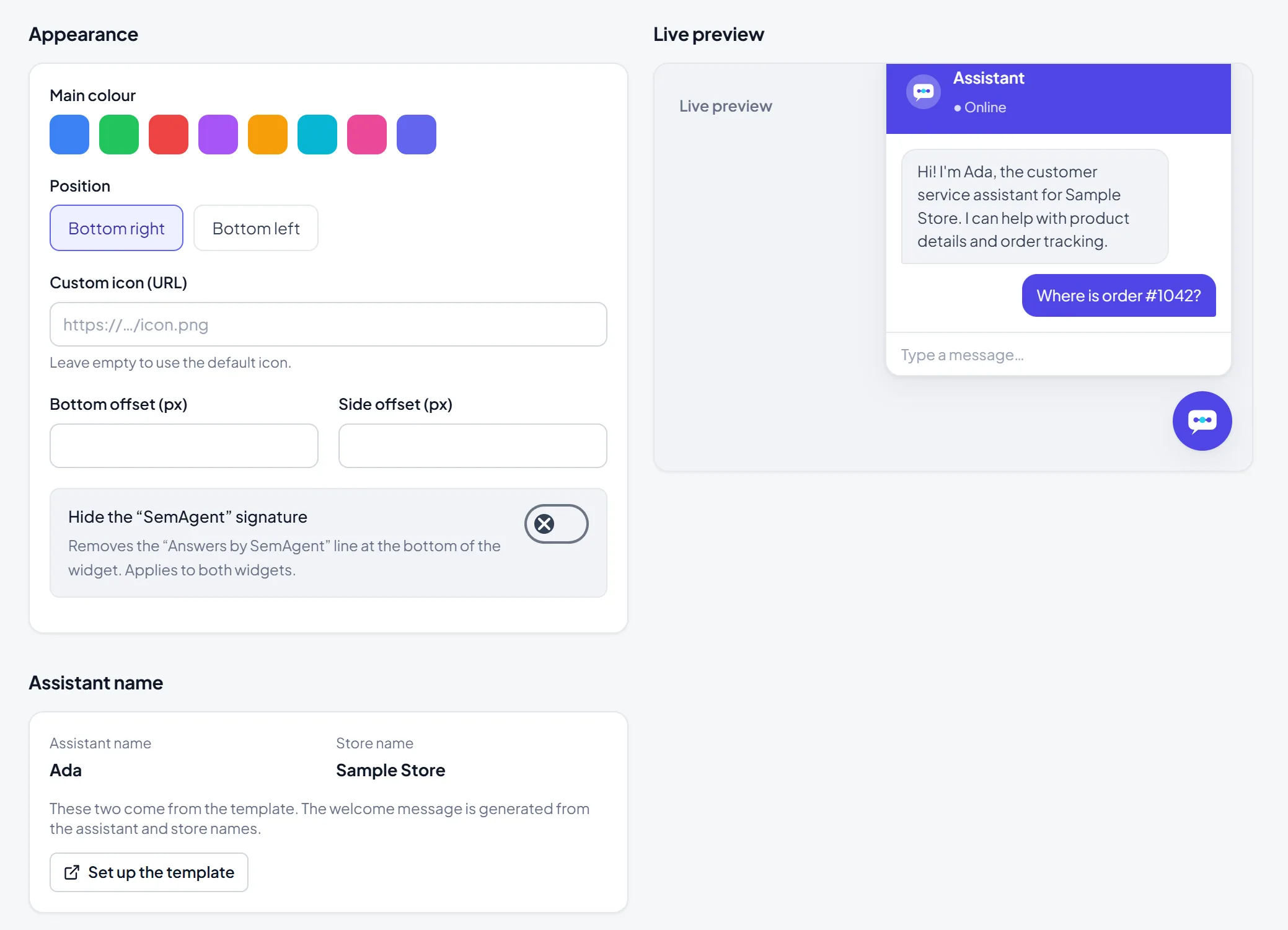
- Check the chat widget preview to see exactly how an order-status answer will look to a visitor before it goes live, including how the tracking link renders.
Review the twelve templates once a season — carrier names, delivery windows and backorder wording tend to drift, and a stale template looks worse than no template.
Check if the templates are actually working
Two numbers tell you whether this setup is pulling its weight: first reply time for order-status conversations, and the handoff rate for that same category. If first reply time drops and handoff rate stays low, the templates and store connection are doing the routine work as intended.
If the same type of order question — say, delayed-in-transit — keeps getting handed off instead of answered directly, that's a signal to check two things: whether the template wording actually matches what customers are asking, or whether the store data feeding the assistant (shipping status, carrier updates) is incomplete for that case. Fixing the data source usually solves more of these than rewriting the template again.